 Outh
Outh10 Best Legal Research Tools for Every Need
Compare the best legal research tools by features, pricing, strengths, limits, and ideal users—from free case-law search to professional platforms.

The most popular advice about the best legal research tools is also the least useful. A single “best” platform can't serve every research job equally well. Validating an appellate authority, monitoring a docket, studying trial-court motion practice, finding historical legislative material, and helping an individual understand a possible civil claim require different databases, workflows, and safeguards.
The American Bar Association's 2024 survey illustrates why the choice matters. Lawyers spent an average of 19% of their work hours on research, with solo practitioners at 23% and lawyers in larger firms at about 19%. Paid online services led usage, free online resources followed, and 31% of lawyers still regularly used print materials, according to the ABA survey reporting on online research. Legal research is now a blended ecosystem, not a contest between two databases.
This roundup separates full-service research suites from docket, judge-analytics, historical-library, and free-access platforms. It also treats AI cautiously. Adoption is rising, but reliability, training, confidentiality, policy controls, coverage, and subscription entitlements deserve as much attention as search speed. The practical path is simple: attorneys and larger firms should start with authority depth and validation, small firms with workflow fit and predictable access, individuals with clarity and evidence organization, and academic users with historical and scholarly coverage.
Table of Contents
- 1. Outh
- 2. Westlaw Precision
- 3. Lexis+ AI
- 4. Bloomberg Law
- 5. vLex with Vincent AI
- 6. Trellis
- 7. Docket Alarm
- 8. HeinOnline
- 9. CourtListener
- 10. Google Scholar Case Law
- Top 10 Legal Research Tools, Comparison
- Match the Platform to Your Research Workflow
1. Outh
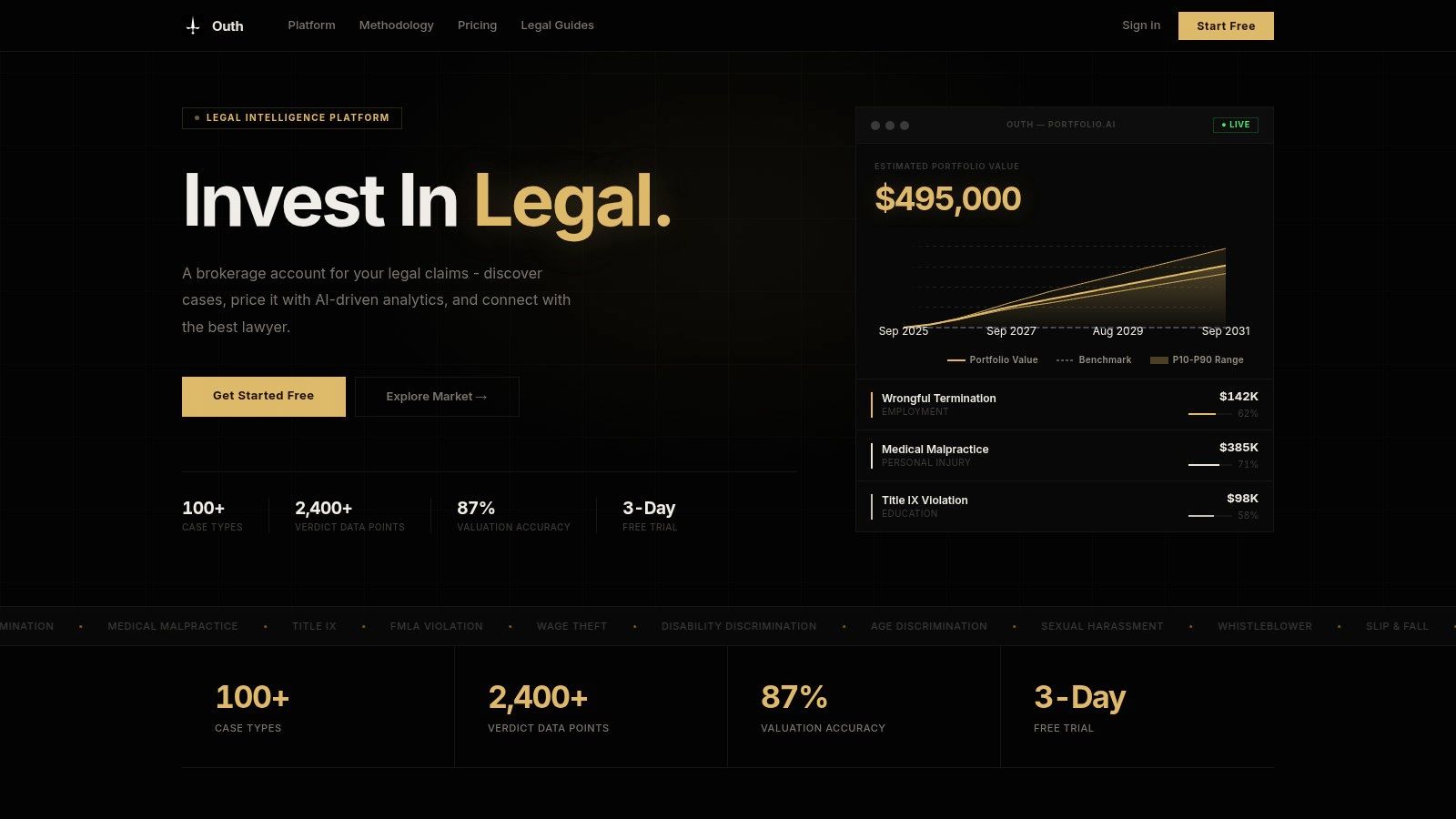
Most legal research tools begin with published authority. Outh begins with the civil claim itself, asking a different question: what may the matter be worth, what evidence supports it, and which attorney is suited to handle it?
Outh is a U.S.-focused legal intelligence platform for individuals evaluating and organizing potential civil claims across 100+ case types, including employment, personal injury, civil rights, education, and whistleblower matters. It combines historical verdict and settlement records, public datasets, claim-element analysis, evidence organization, and attorney discovery. The result isn't a substitute for legal advice. It's a decision-support workflow for people who need to understand a possible claim before or alongside a consultation with counsel.
Best for claim evaluation and portfolio decisions
Outh's distinctive feature is its portfolio-based dashboard. Instead of treating each matter as an isolated question, it lets users compare multiple claims using live portfolio value, market benchmarks, and P10, P50, and P90 confidence intervals. Its valuation engine states an 87% valuation accuracy metric, but users should treat that as a platform claim and a statistical estimate, not a promise about an individual outcome.
The platform also uses a case-element checklist to show what a potential claim may require the user to prove. Evidence can be organized through email integration, while the AI Email Decoder translates legal correspondence into plain English and indicates how an update may affect estimated settlement ranges and timelines.
Practical rule: Use Outh to organize facts, identify missing evidence, and set more realistic expectations. Don't use an estimate as a legal conclusion or as a replacement for counsel.
Where Outh fits, and where it doesn't
Outh can be especially useful for individuals comparing whether to pursue employment, injury, education, civil rights, or whistleblower matters. Its attorney-matching workflow emphasizes specialty fit and displays success indicators, fee estimates, retainer requirements, and a $0 retainer filter. Subscription access includes monthly, quarterly, and annual plans, a 3-day free trial, and secure Stripe checkout, as described by Outh's platform.
Its limitations are important. Outh isn't a law firm, and its valuations aren't legal advice. The models depend on historical outcomes and public datasets, so novel legal theories, recent precedent changes, and thinly documented niche categories may receive less useful treatment. The coverage is U.S.-only, and anyone facing a live legal deadline still needs qualified counsel and primary-source verification.
For people trying to assess viability, manage communications, compare matters, and find a suitable attorney, Outh is one of the more specialized tools in this list. It isn't a traditional authority database, and that's precisely why it shouldn't be evaluated as one.
2. Westlaw Precision
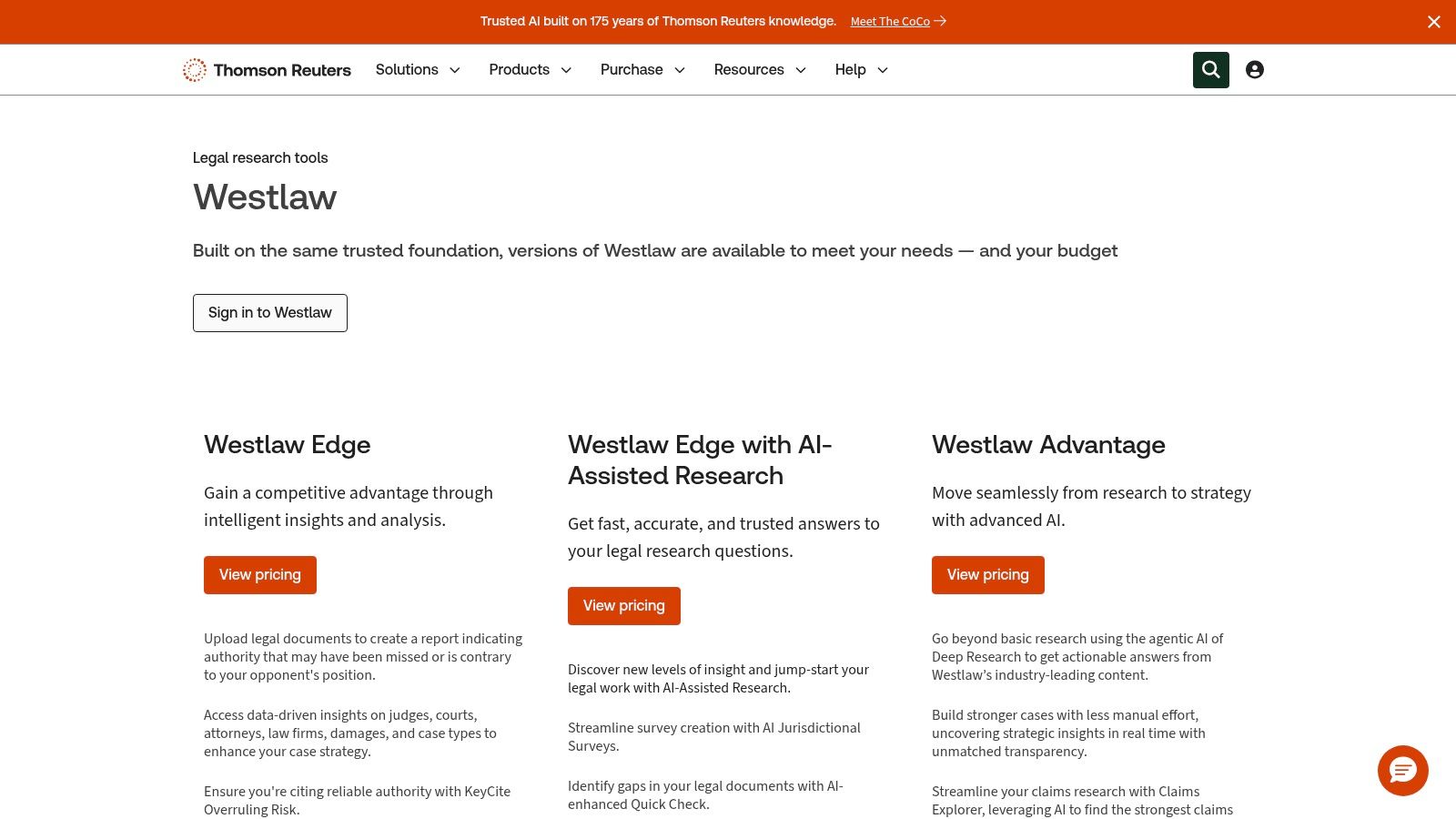
Westlaw Precision is built for authority-heavy research where editorial treatment and citator signals matter. Its core library covers case law, statutes, regulations, and secondary sources, while editorial tools such as the Key Number System and headnotes help researchers move from a fact pattern to a legal proposition.
The platform's strongest workflow is authority validation. KeyCite helps researchers investigate whether a case remains reliable and how later decisions have treated it. That matters because finding an on-point decision is only the first step. A lawyer must also determine whether the decision was limited, questioned, criticized, or displaced.
Best for validated full-service research
Westlaw Precision adds AI-Assisted Research that answers natural-language questions using Westlaw content. CoCounsel can integrate with Westlaw Precision for governed AI research and other tasks, although the relevant subscriptions and prerequisites may differ by plan. Practical guidance and litigation analytics can extend the platform from research into motion preparation, procedural planning, and case strategy.
Thomson Reuters positions the product as a premium research environment, so buyers should scrutinize the precise plan rather than assume every feature is included. AI access, analytics, practical guidance, and CoCounsel integration may create separate entitlement questions.
The platform also carries a training advantage. Large firms and established legal departments may value its onboarding, support, and familiar editorial conventions, especially when multiple lawyers need a consistent research method.
The fastest answer isn't necessarily the safest answer. A research platform earns its place in a litigation workflow by helping the lawyer verify what the authority means and whether it still carries weight.
For attorneys conducting deep U.S. case-law research, Westlaw Precision is a leading candidate. Its limitations are premium pricing and feature variation across plans. Teams evaluating AI should also ask how generated answers expose source passages, how users confirm citations, and what data-governance terms apply. For a broader discussion of responsible legal AI workflows, see AI tools for lawyers.
Westlaw Precision is best treated as a full-service research and validation system, not merely a faster search box.
3. Lexis+ AI
Lexis+ AI combines primary and secondary legal sources with generative AI, citation-linked answers, document analysis, brief analysis, litigation analytics, practical guidance, and legal news. Its defining validation tool is Shepard's, which helps lawyers assess the subsequent treatment of authority, including “At Risk” signals.
That makes Lexis+ AI a strong fit for researchers who want conversational search without abandoning a traditional citator workflow. A lawyer can begin with a natural-language question, inspect the linked sources, and then use Shepard's to evaluate whether a cited decision remains dependable.
Best for research with Shepard's validation
Document and Brief Analysis add a second workflow advantage. Rather than searching from a blank page, users can submit a document or brief to identify relevant authorities, possible omissions, and contrary authority. That can be useful when reviewing an opponent's filing or checking whether a draft argument has overlooked an unfavorable case.
The platform serves firms, corporate legal departments, government users, and academic researchers. Entitlements vary, and many plans are quote-based, so a demonstration should focus on the actual work the team expects to perform. Ask whether the proposed subscription includes the necessary primary sources, secondary sources, analytics, AI functions, document analysis, and citator access.
AI adoption is advancing quickly across the profession. The ABA's 2025 legal technology survey release reported that 30% of respondents were using AI tools, compared with 11% in 2023, 12% in 2022, and 10% in 2021. That growth makes source visibility and lawyer review more important, not less.
Lexis+ AI's main limitation is complexity. Premium content, analytics, and AI features can increase cost and create plan-management issues. For buyers comparing the platform with newer legal AI products, AI legal tools and their governance implications provide useful context, but the final decision should come from a controlled test using the team's own research question.
Visit Lexis+ AI to assess its content, Shepard's workflow, and current subscription entitlements.
4. Bloomberg Law
Bloomberg Law is most useful when legal research sits beside docket activity, business news, and practical guidance. It combines primary law with Bloomberg news, BNA treatises, Practical Guidance, litigation analytics, and docket research, giving practitioners a single environment for both legal authority and developments surrounding a matter.
That combination changes the research job. A lawyer investigating a legal issue may also need to monitor filings, follow a company or industry, understand a procedural trend, and receive alerts when a relevant docket changes. Bloomberg Law is designed around that broader practice workflow.
Best for news, dockets, and practice context
Its practice centers organize resources by field, while docket coverage includes federal courts and 1,500+ state courts, according to the product information provided by Bloomberg Law. Docket alerts can support ongoing matter monitoring, and Brief Analyzer and Points of Law help users examine arguments and authorities. The AI Assistant is designed to abstain outside its supported content scope, a useful design choice when buyers are evaluating how a system handles uncertainty.
Bloomberg Law's strength is integration rather than a single editorial feature. A litigation team can move between docket documents, practical explanations, news, analytics, and primary law without stitching together as many separate services.
The tradeoff is procurement. Pricing isn't listed publicly and is generally quote-based. Some users may also want parallel citator coverage from another vendor, depending on the firm's existing validation standards and jurisdictional needs.
Choose Bloomberg Law when the research question is inseparable from what is happening in the case, the market, or the industry. It may be less compelling for a solo practitioner who needs only occasional statute and case searches, especially if the broader news and docket environment won't be used.
The Bloomberg Law platform deserves a demonstration built around a live docket-monitoring scenario, not just a generic keyword search.
5. vLex with Vincent AI
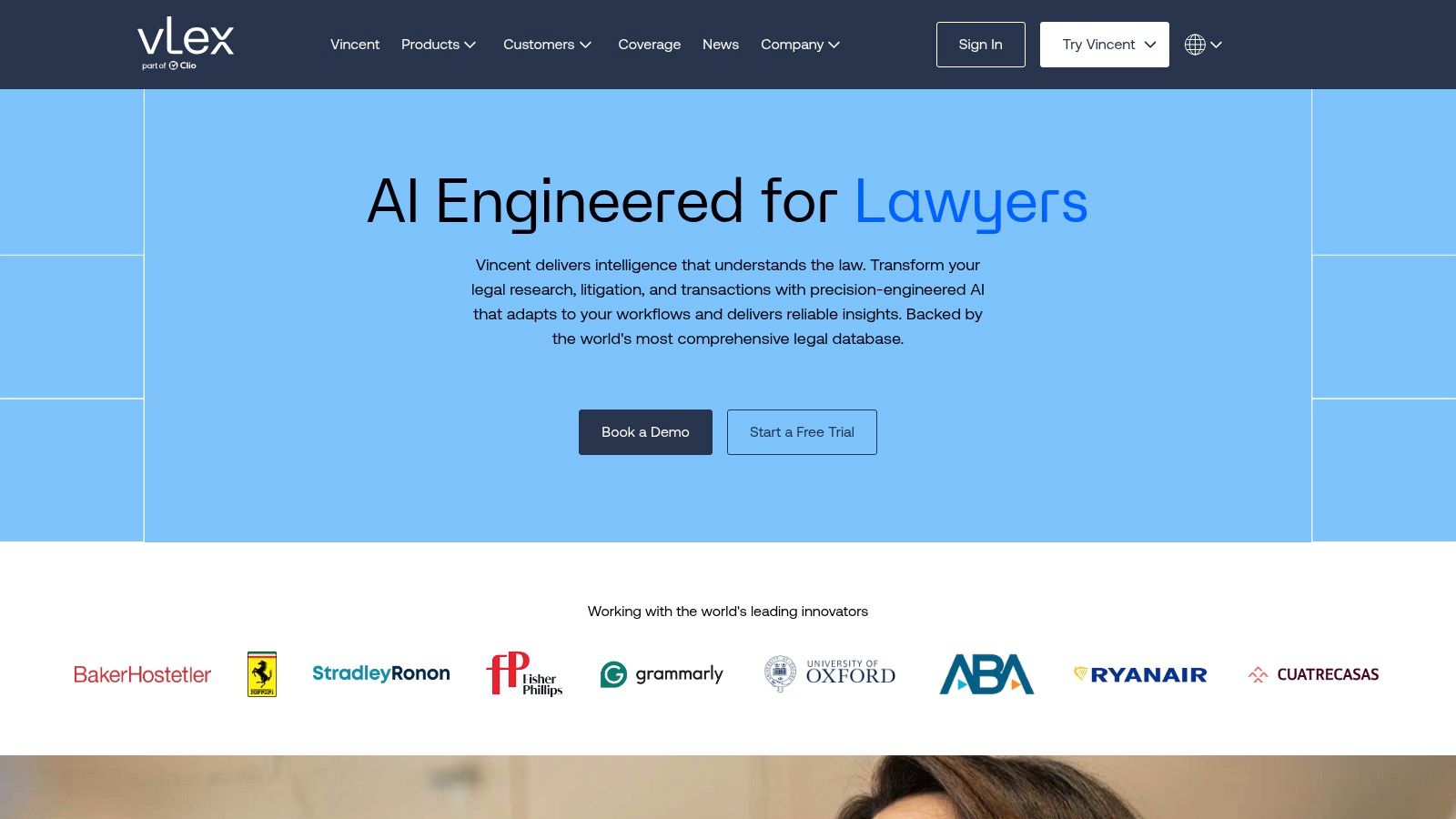
vLex with Vincent AI stands apart through its multi-jurisdictional orientation. The platform combines U.S. primary-law coverage associated with Fastcase integration with international legal materials, making it a natural candidate for firms handling cross-border questions, comparative law, or research that moves beyond a single national system.
Vincent AI provides research, summarization, and drafting functions grounded in the vLex library. Its value depends on how well the content matches the jurisdictions and practice areas a team uses. A global label alone doesn't guarantee equal depth in every court, country, language, or source type.
Best for cross-border and comparative research
The platform can be especially practical for a firm that needs both U.S. and international coverage but doesn't want to separate those jobs between unrelated systems. Bar-association member benefits may also create access pathways in some states, so attorneys should check whether their professional membership already includes an eligible benefit.
Optional integrations, including Docket Alarm, can extend the workflow into docket research and monitoring. That flexibility helps firms construct a broader research environment, but it also means buyers need to understand which products are included and which require separate access.
vLex's limitations are familiar to buyers of enterprise legal technology. Public pricing often isn't published, sales may be demo-driven, and content organization won't feel identical to Westlaw or Lexis. A team migrating from a legacy platform should test common searches, saved materials, citation handling, and document export before committing.
For cross-border teams: Compare jurisdiction coverage by actual research task. Test a statute, a recent decision, and a secondary source in each priority jurisdiction rather than relying on a broad coverage statement.
The vLex platform is a strong alternative for international and U.S. research in one environment. It isn't automatically the best choice for a litigation team whose work depends almost entirely on one U.S. jurisdiction and established domestic citator habits.
6. Trellis
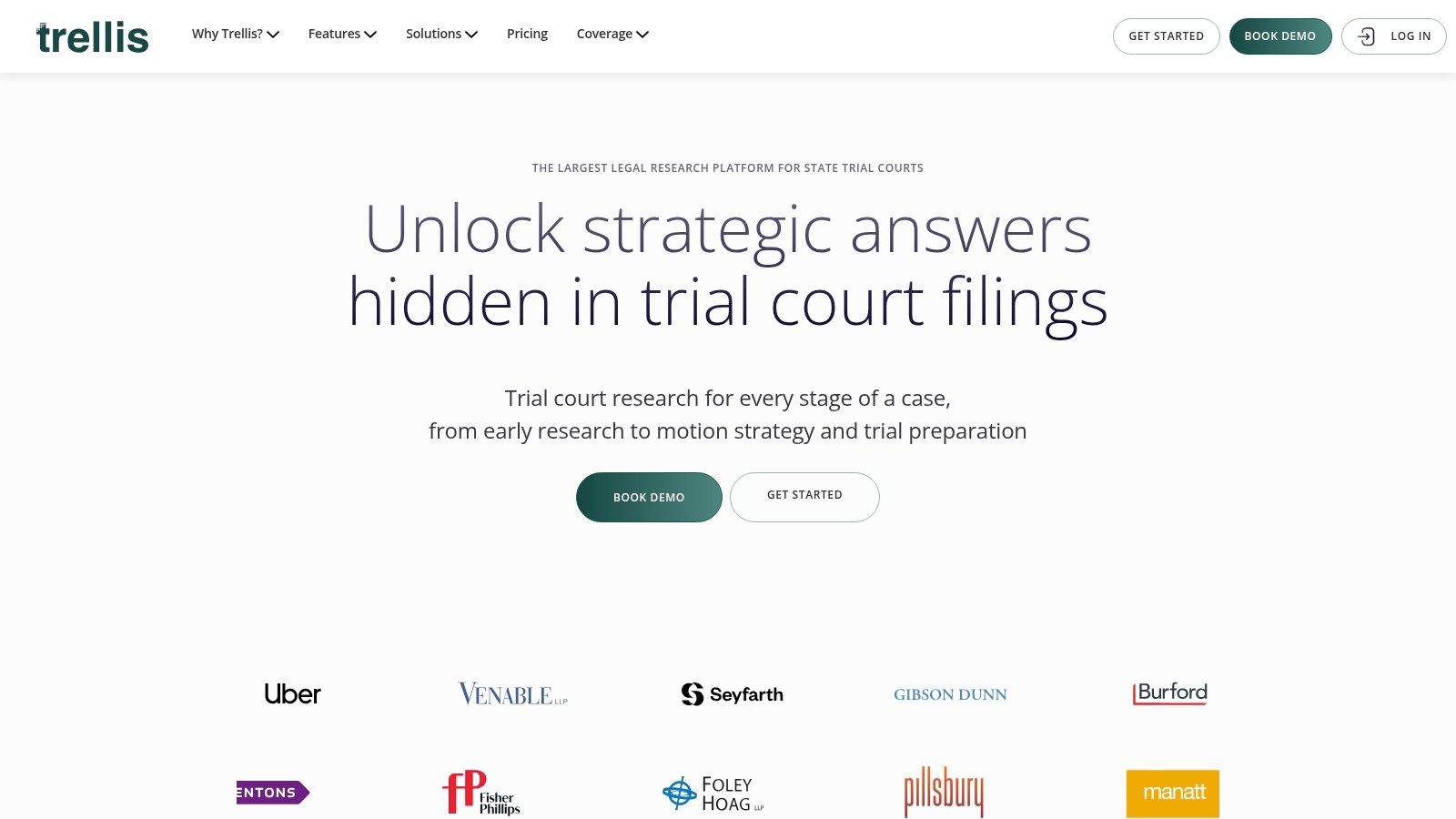
Trellis is designed for a research job that traditional national databases don't always handle with enough granularity: understanding state trial courts and judicial behavior. It focuses on trial-court rulings, motions, issues, judge analytics, party activity, case alerts, and state-law browsing.
For litigators, the relevant question often isn't only what appellate courts have said. It's how a particular judge has handled a motion, which arguments have appeared in comparable matters, and what procedural patterns may affect venue or litigation strategy. Trellis organizes its product around those questions.
Best for motion practice and judge analysis
Judge analytics can help attorneys study outcomes and tendencies, while searches across motions and rulings support more targeted preparation. Alerts on judges, parties, and cases turn the platform into a monitoring tool as well as a research database. The Law Firm Intelligence add-on broadens the analytics for firms that need a larger view of litigation activity.
Trellis is also unusually approachable for smaller practices because it offers transparent self-serve plans and a 14-day free trial, based on the product information supplied. That gives solos and small firms a clearer way to test workflow fit before entering a quote-based procurement process.
Coverage remains the central constraint. Availability varies by state, some plans may be limited to a single state, and content-view quotas can apply at certain tiers. A firm practicing across multiple states should map its priority courts before treating Trellis as a national solution.
The platform is a good example of why “best” depends on the job. It won't replace a full-service citator for every authority-validation task, but it may answer a venue or motion-strategy question more directly than a general database. For a broader explanation of how judge and docket data can support litigation decisions, see this overview of a legal analytics platform.
Explore Trellis with a motion that matters to your practice, then verify whether the relevant state and court records are included in the plan you would buy.
7. Docket Alarm
Docket Alarm is a specialist platform for docket research, tracking, alerts, and analytics. It isn't intended to replace a full secondary-source research suite. Its value comes from doing a narrower job directly, helping users follow cases, retrieve filings, and build monitoring workflows around federal and many state courts.
The platform supports real-time alerts, PACER integration, an analytics workbench, calendaring add-ons, and API access. An alert can include documents in the email, which reduces the friction between learning that a docket changed and reviewing the filing responsible for the change.
Best for docket monitoring and custom workflows
Docket Alarm offers a flat-fee plan with unlimited alerts, tracking, and search, along with a pay-as-you-go option that can include PACER integration. That published pricing structure makes it easier for a solo, small firm, journalist, researcher, or litigation-operations team to evaluate the service against a specific monitoring need.
The API is another differentiator. Firms with internal applications, reporting systems, or automated workflows can assess whether docket data can be incorporated into existing tools rather than forcing every user into a separate browser workflow. PTAB and TTAB analytics add value for intellectual property practices, while calendaring can connect monitoring with deadlines and case administration.
The limitations are practical. PACER document charges and some state-court document fees may still apply, so a subscription isn't necessarily the full cost of retrieval. Docket Alarm also lacks the broad secondary-source environment that lawyers expect from Westlaw, Lexis, or Bloomberg Law.
For a docket-heavy practice, the platform can be more efficient than paying for a broad suite that the team rarely uses. For a lawyer researching doctrine, legislative history, or treatises, it should be paired with another source.
Review Docket Alarm by testing alerts on the exact courts, parties, judges, and case types the team monitors. Confirm document fees and API permissions before building an automated process.
8. HeinOnline
HeinOnline is a digital legal library for research that rewards depth and patience. Its strongest materials include law reviews and journals, historical statutes, legislative histories, federal and state case law, treatises, and government publications. That makes it particularly valuable for academic work, historical analysis, policy research, and litigation involving legislative intent.
The platform offers 3,300+ scholarly journals in full text, according to the product information supplied. That figure is a quantitative product claim, not an independent assessment of quality, but it captures the scale of HeinOnline's scholarly orientation.
Best for historical and scholarly research
A researcher looking for the development of a doctrine may need sources that a quick-answer workflow will not surface. Historical treatises, older government documents, archived journal issues, and legislative materials can provide the context necessary to understand how a rule developed and how courts or commentators have interpreted it over time.
HeinOnline's interface is optimized for document discovery and collection browsing rather than conversational answers. That can feel slower to a practitioner who wants an immediate proposition, but it supports a different kind of research discipline. Users can work through source collections, inspect original materials, and build a record of historical authority.
Subscription tracks exist for individuals, firms, and academic users. Pricing is typically quoted, and access to particular materials may depend on the package selected. Buyers should confirm whether their priority collections, jurisdictional materials, and download rights are included.
HeinOnline won't be the first choice for every urgent motion deadline. It may, however, be the tool that finds the older source a short search missed. For law students and faculty, institutional access can make it a central research resource. For firms, it is most valuable when historical or scholarly depth is a recurring requirement rather than an occasional curiosity.
Visit HeinOnline and test a real legislative-history or historical-doctrine question. The platform's advantage appears most clearly when the answer lies in older material, not only in the newest reported decision.
9. CourtListener
CourtListener offers a free, nonprofit route to primary-law research. Operated by the Free Law Project, it provides opinions, judges' data, oral-argument audio, and the RECAP Archive of federal dockets and documents contributed by PACER users.
Its role is broader than a simple case-search site. Researchers can look for free copies of filings, set alerts, explore oral-argument collections, use semantic search features, and work with the REST API. Browser extensions and related workflows can contribute filings to the public archive, strengthening the open-access ecosystem.
Best for affordable discovery and civic-tech research
CourtListener is particularly useful for individuals, students, journalists, public-interest lawyers, and small teams that need a free starting point. It can also help paying subscribers locate documents that might otherwise require a separate PACER retrieval.
The RECAP Archive has an important limitation: docket-document coverage depends on community contributions. A missing filing doesn't prove that the document doesn't exist, and the absence of a result should prompt a search of the court's own system or another docket provider.
CourtListener also lacks a commercial citator equivalent to KeyCite or Shepard's. Its citation and related-authority features can help discover subsequent decisions, but lawyers shouldn't treat them as a complete precedential-treatment review.
Verification rule: Use free repositories to find and read authorities, then confirm current status, official text, and docket completeness through appropriate primary or commercial sources before relying on them in a filing.
The CourtListener research site is one of the strongest free starting points for open legal information. Its developer-friendly design also makes it a sensible option for academic projects and research automation, provided users account for incomplete community-uploaded coverage.
10. Google Scholar Case Law
Google Scholar's case-law search is a practical baseline for free authority discovery. Users can search opinions across U.S. federal and state courts, filter by jurisdiction, review full text when available, examine “How Cited” results, and create alerts.
Its appeal is simplicity. An individual, law student, solo practitioner, or small team can begin with a plain-language or citation search without learning a specialized legal database interface. That makes Google Scholar useful at the beginning of a research project, especially when the researcher knows a case name, citation, judge, or distinctive phrase.
Best for a free first pass
“How Cited” can reveal later decisions and related authorities, while exportable citations and links to available PDF or HTML versions support quick collection. Google Scholar also works well as a cross-check against a paid platform, particularly when a researcher wants to locate a publicly accessible copy of an opinion.
Its limitations are decisive for citation-critical work. It doesn't provide authoritative citator status flags, coverage and metadata can vary, and its results shouldn't replace a premium citator review. A case appearing in a search result doesn't establish that it remains good law or that the available text is the official version needed for a filing.
The ABA's 2024 online-research reporting identified Google Scholar among the most-used free resources, alongside government websites, FindLaw, Cornell's Legal Information Institute, and FastCase. That pattern reflects the practical reality of modern legal research: free tools often start the investigation, while paid tools may complete validation.
Use Google Scholar Case Law to discover authorities and related decisions at no cost. Before relying on a case, verify its treatment, jurisdictional status, and authoritative text through a suitable citator or primary source.
Top 10 Legal Research Tools, Comparison
| Product | Core features | Quality (★) | Target audience (👥) | Pricing / Value (💰) | Unique selling points (✨) |
|---|---|---|---|---|---|
| Outh 🏆 | AI case discovery (100+ categories); P10/P50/P90 valuations; portfolio dashboard; evidence mgmt; AI Email Decoder; attorney matching | ★★★★ (87% valuation accuracy; quarterly benchmarks) | 👥 Individual claimants, consumers managing multiple claims | 💰 Subscription (monthly/quarterly/annual) · 3‑day free trial · $0 retainer filter | ✨ Portfolio‑style valuations; plain‑language email decoder; data‑driven counsel matching; nationwide benchmarks |
| Westlaw Precision (Thomson Reuters) | Primary & secondary law; KeyCite/Key Number; AI‑Assisted Research; CoCounsel integrations | ★★★★★ (industry editorial standard) | 👥 Large firms, corporate counsel, litigators, academics | 💰 Premium / quote‑based; add‑on AI (CoCounsel) | ✨ Authoritative citator & editorial enhancements; content‑grounded AI |
| Lexis+ AI (LexisNexis) | Primary/secondary sources; Shepard's citator; AI answers with citations; Doc/Brief Analysis | ★★★★ (Shepard's validation + AI) | 👥 Firms, government, academia | 💰 Quote‑based tiers; add‑ons for analytics | ✨ Shepard's integration; document analysis with linked citations |
| Bloomberg Law | Primary law + BNA treatises; dockets & alerts; Brief Analyzer; legal + business news | ★★★★ | 👥 Litigators, corporate counsel needing news & dockets | 💰 Quote‑based enterprise pricing | ✨ News + docket integration; Points of Law & brief tools |
| vLex with Vincent AI | Global legal content + Fastcase U.S.; Vincent AI summaries & drafting | ★★★★ | 👥 International firms, bar members, multi‑jurisdictional teams | 💰 Demo / membership pathways; variable pricing | ✨ Multi‑jurisdiction coverage + AI; bar‑association access options |
| Trellis | State trial‑court rulings, motion search, judge analytics, alerts | ★★★ (strong state trial data) | 👥 Solos, small firms, trial litigators | 💰 Transparent self‑serve plans; 14‑day free trial | ✨ Judge behavior analytics; motion/venue strategy focus |
| Docket Alarm (vLex/Fastcase) | Docket research & tracking; PACER integration; analytics workbench; API | ★★★ | 👥 Litigators, e‑discovery teams, developers | 💰 Flat‑fee plans & pay‑as‑you‑go; published pricing | ✨ Fast docket alerts with docs attached; developer API |
| HeinOnline | Extensive law reviews, historical statutes, treatises, gov docs | ★★★★ | 👥 Academics, legislative researchers, historical researchers | 💰 Subscription tracks (individual/firm/academic) | ✨ Best‑in‑class historical & secondary‑source archive |
| CourtListener (Free Law Project) | Free opinions, RECAP federal docket archive, APIs, alerts | ★★★ | 👥 Public interest, researchers, developers, students | 💰 Free (open access) | ✨ Zero‑cost opinions + RECAP PACER copies; developer API |
| Google Scholar, Case Law | Free case‑law search, “How Cited”, alerts, PDF links | ★★★ | 👥 Individuals, students, small teams beginning research | 💰 Free | ✨ Quick, zero‑cost case discovery and citation tracing |
Match the Platform to Your Research Workflow
The right platform depends on the job, the jurisdiction, and the level of validation required. A firm choosing only by brand may pay for capabilities its lawyers rarely use, while a budget-conscious researcher may rely on a free source without noticing a citator or coverage gap.
For deep, validated full-service research, start with Westlaw Precision or Lexis+ AI. Westlaw Precision is a strong fit when KeyCite, editorial enhancements, and litigation analytics anchor the workflow. Lexis+ AI is compelling for teams that already rely on Shepard's, Document Analysis, Brief Analysis, and LexisNexis content.
Choose Bloomberg Law when dockets, legal news, BNA materials, practical guidance, and analytics need to live together. Select vLex with Vincent AI for international or comparative research, especially when the team needs both U.S. and non-U.S. sources. The best choice between them depends less on general feature counts than on the jurisdictions and source types used every week.
For state trial-court strategy, Trellis is the specialist choice. It focuses on motions, rulings, judge analytics, and alerts that can inform venue and motion practice. For docket monitoring, document alerts, PACER workflows, and APIs, Docket Alarm is more targeted and may be easier to evaluate than a full research suite.
Academic and historical researchers should look closely at HeinOnline, especially when the question involves law reviews, older statutes, legislative history, treatises, or government publications. Individuals, students, and small teams can begin with CourtListener or Google Scholar Case Law, while remembering that free discovery doesn't provide the same citator assurance or complete docket coverage.
Outh belongs in a separate category. It helps individuals evaluate and organize U.S. civil claims, estimate statistical ranges and timelines, manage evidence and communications, compare multiple matters, and find potentially suitable counsel. It isn't a law firm, and its valuations are estimates rather than legal advice.
AI governance should be part of the buying decision. The available adoption data shows a gap between use and preparation. One recent report cited 69% of legal professionals using generative AI for work, while 54% said their firm had no responsible-AI training and no plans to add it, and 43% said their firm had no formal AI policy, as reported by LawNext's coverage of the 8am report. The same source identified privacy and confidentiality concerns at 56%, cost at 47%, education gaps at 34%, and hallucinations at 31% among reported barriers. Those figures support a practical conclusion: the best tool isn't the one with the most impressive AI feature. It's the one your team can govern, verify, afford, and use consistently.
Before subscribing, confirm jurisdiction coverage, citator requirements, AI entitlements, document fees, privacy terms, retention rules, training support, export options, and actual pricing. Then run the same real research question through two finalists, using the same source document and deadline. The platform that returns an answer your lawyer can verify and defend should outrank the platform with the longer feature list.
If you're evaluating a potential U.S. civil claim rather than researching a single authority, Outh can help you identify possible claims, organize evidence and legal communications, estimate statistical ranges, compare matters, and find specialty-aligned counsel. Visit Outh to start a structured, data-informed review while keeping qualified legal advice at the center of any decision.