 Outh
OuthLegal Advice Online: What It Is and How to Use It
Learn what legal advice online includes, its limits, and how to use it effectively in 2026. Get informed before seeking help.

You receive a notice from your landlord, employer, insurer, or a government agency, and the first thing you do is search for an answer. You may not be ready to hire a lawyer. You may not even know what kind of lawyer you need. You want to understand what the document means, whether a deadline applies, and what could happen next.
That's where legal advice online can help, but only if you understand what you're using. An article, chatbot, document tool, and licensed attorney don't provide the same service or carry the same protections. The important question isn't whether online tools are useful. It's where they stop being reliable enough for your situation.
Table of Contents
- Why So Many People Start With Legal Advice Online
- What Online Legal Advice Actually Includes
- Online Advice Compared to In-Person Counsel
- Confidentiality, Ethics, and Legal Limits
- How to Vet and Use These Services Safely
- When You Still Need a Human Attorney
- Key Takeaways for Smarter Online Legal Decisions
Why So Many People Start With Legal Advice Online
A tenant receives a 30-day notice and searches for answers before calling anyone. They look up the words on the notice, read explanations of eviction procedure, and try to determine whether the landlord followed the correct process. That search may not resolve the dispute, but it gives the tenant a starting point and helps them decide what to ask next.
This behavior is now a mainstream part of legal problem-solving. A Stanford Legal Design Lab summary of survey data found that 17% of respondents turn to the Internet for information about their legal problems. The summary also notes that the Internet ranks above friends, family, lawyers, government agencies, courts, and legal aid as the primary place people seek help.
That ranking says something important about timing. Many people search online before they're ready to contact a lawyer, not because they reject professional help, but because they need orientation first. Online resources offer immediate access, plain-language explanations, and a way to learn the basic vocabulary of a problem without beginning with a paid consultation.
Practical rule: Use the internet to understand the shape of a legal problem. Don't treat the first explanation you find as a final answer about your rights.
Digital services can also lead people toward human assistance. A UK consumer tracker reported that 33% of legal consumers were using online services, up from 30% the prior year. The same tracker reported that shopping around remained relatively low at 28%, which means consumers may still choose services without comparing many alternatives.
A separate UK Affordable Advice Service report recorded 154,804 pageviews across 106,740 sessions, along with 328 appointment requests and 143 attended lawyer appointments. Those figures show how an online search can progress from education to intake and then to professional consultation. The sensible approach isn't online versus offline. It's using each channel for the task it handles best.
What Online Legal Advice Actually Includes
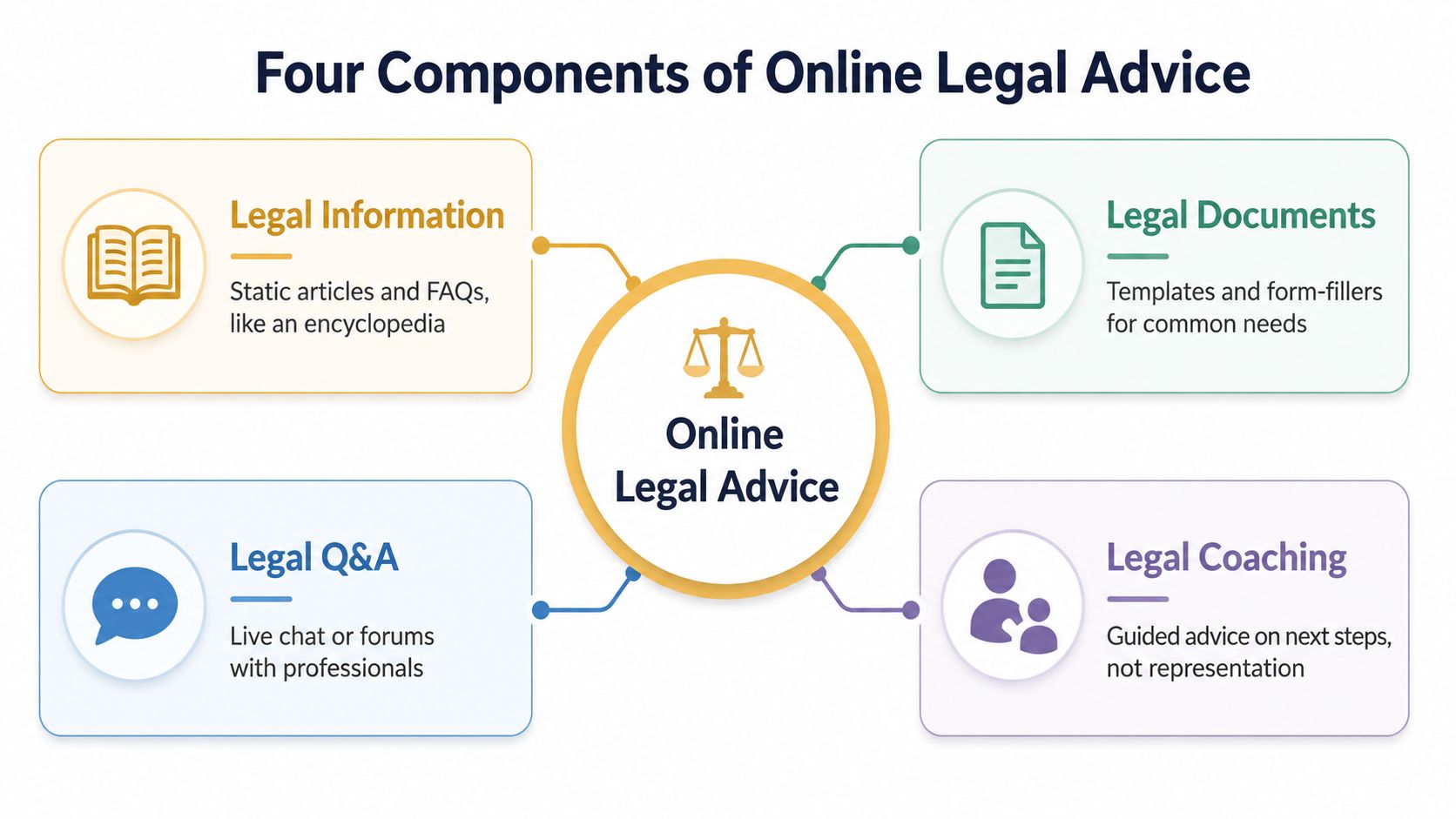
The phrase online legal advice covers several different services. Treating them as interchangeable creates avoidable confusion, especially when a platform uses a chatbot or polished interface that looks more authoritative than it is.
Legal information gives you orientation
Articles, FAQs, government guides, and explanatory videos provide general legal information. Think of them as a well-indexed encyclopedia. They can explain concepts such as a lease, a demand letter, a limitation period, or the difference between a civil and criminal matter.
Information can help you identify the issue and prepare questions. It usually doesn't assess all the facts that could change the outcome, and it doesn't establish a professional relationship with you.
Triage tools help classify the problem
Questionnaires and chatbots act more like a symptom checker. You describe what happened, and the tool may suggest a legal category, a document checklist, or possible next steps. Triage is valuable because people often don't know whether their situation involves employment law, housing law, consumer protection, personal injury, or another area.
A triage result is a direction, not a diagnosis. If the questions are incomplete, the platform may miss facts that matter.
Document tools organize paperwork
Templates, form-fillers, and automated document review can help with routine tasks. They might identify clauses, suggest fields to complete, or point out language that deserves attention. Attorney-assisted review adds a human assessment, but you should confirm whether a lawyer reviews the document or whether software performs the entire process.
For a broader overview of technology used in legal work, see this guide to legal technology tools.
A lawyer provides individualized advice
A consultation by phone, video, or chat can become actual legal advice when a licensed attorney evaluates your facts and gives guidance within the lawyer's jurisdiction and professional role. The attorney may explain your options, identify risks, recommend a strategy, or help you decide whether representation makes sense.
The price, speed, and level of protection change across these categories. Free information can help you learn the basics, but attorney time has a cost because the lawyer is applying professional judgment to your specific situation.
Online Advice Compared to In-Person Counsel
Online legal services and in-person counsel solve different problems. An online platform may let you ask a focused question quickly, review basic information after work, or organize documents before speaking with anyone. A local attorney can investigate context, weigh competing risks, negotiate with another party, prepare filings, and represent you where representation is needed.
The right choice depends on the task, not on whether one format is universally better.
| Dimension | Online Legal Advice | In-Person Counsel |
|---|---|---|
| Cost | May offer free information, fixed-fee consultations, or limited-scope services | Often involves consultation fees, hourly billing, retainers, or agreed representation fees |
| Speed | Usually provides immediate access to information and may support asynchronous questions or document review | May require scheduling, but allows a focused conversation with professional judgment |
| Personalization | Ranges from general content to tailored guidance if a licensed lawyer is involved | Built around your facts, goals, documents, and ongoing communications |
| Jurisdictional accuracy | Depends on whether the platform identifies the correct state, province, or country | A local lawyer can apply the rules and procedural practices relevant to the matter |
| Representation | Usually doesn't include courtroom advocacy or negotiation unless a lawyer is separately engaged | Can include filings, negotiations, hearings, and representation within the engagement scope |
Online services often work well for orientation and preparation. You can use them to identify the legal question, collect a timeline, organize correspondence, and prepare a short list of questions. A focused attorney meeting becomes more productive when you arrive with those materials already assembled.
Jurisdiction is the major swing factor. A housing rule that applies in California may not apply in New York. A workplace issue can depend on state law, federal law, agency procedures, an employment contract, or the size and structure of the employer. A platform that gives a nationwide answer without first confirming your location should make you cautious.
Many people will use both formats. They may learn online, complete routine paperwork, and then ask a local lawyer to review a signed contract, respond to opposing counsel, or advise them about a filing. That hybrid pattern preserves the convenience of digital access without pretending that a general tool can replace professional judgment in a fact-heavy matter.
Confidentiality, Ethics, and Legal Limits
A private-looking chat window doesn't automatically create legal confidentiality. Attorney-client privilege generally depends on a relationship with a licensed attorney, a defined legal purpose, and the circumstances surrounding the communication. A chatbot, public forum, article, or automated template usually doesn't create that privilege because you entered personal information.
That distinction matters before you paste a contract, medical record, workplace complaint, immigration document, or description of alleged wrongdoing. You may be sharing sensitive facts with a technology provider rather than a lawyer. The provider's terms may explain how it stores, processes, or shares that information, and those terms may differ from the protections available in an attorney relationship.
The unauthorized-practice boundary
Online platforms also face limits around unauthorized practice of law. A service can provide legal education and administrative assistance without acting as a lawyer, but custom recommendations can raise more serious regulatory questions. Legal scholarship on digital legal-service regulation describes movement toward co-regulation because online platforms can expand access while creating risks involving advertising, referrals, and unauthorized practice.
You should be able to tell whether you're receiving general information, automated analysis, coaching, or advice from an attorney licensed in your jurisdiction. A platform that hides the provider's identity, jurisdiction, or scope of service makes that classification difficult.
| Type of Output | Counts as Legal Advice? | Creates Privilege? | Example |
|---|---|---|---|
| General information | Usually no | Usually no | An article explaining common lease terms |
| Automated triage | Usually no | Usually no | A questionnaire sorting a problem into a legal category |
| Document template | Usually no | Usually no | A standard form with instructions |
| Automated document analysis | Not necessarily | Usually no | Software flagging clauses for further review |
| Advice from a licensed attorney | Yes, within the engagement | May, depending on the relationship and circumstances | A lawyer evaluates your facts and recommends a response |
AI can summarize, organize, translate legal language, and identify questions you may want to raise with counsel. It can also miss context, misunderstand a document, or present an incomplete answer with confidence. Tools designed for lawyers, such as those discussed in this overview of AI for lawyers, still operate within professional and ethical workflows that ordinary consumer chatbots may not provide.
Data handling deserves direct questions
Read the privacy policy before uploading anything. Look for retention periods, use of data for model training, deletion procedures, encryption statements, and disclosures about vendors or third-party sharing. Laws such as HIPAA, GDPR, and state privacy statutes may apply differently depending on the provider, the data, and the service, so don't assume a platform's legal label tells you everything about its obligations.
How to Vet and Use These Services Safely
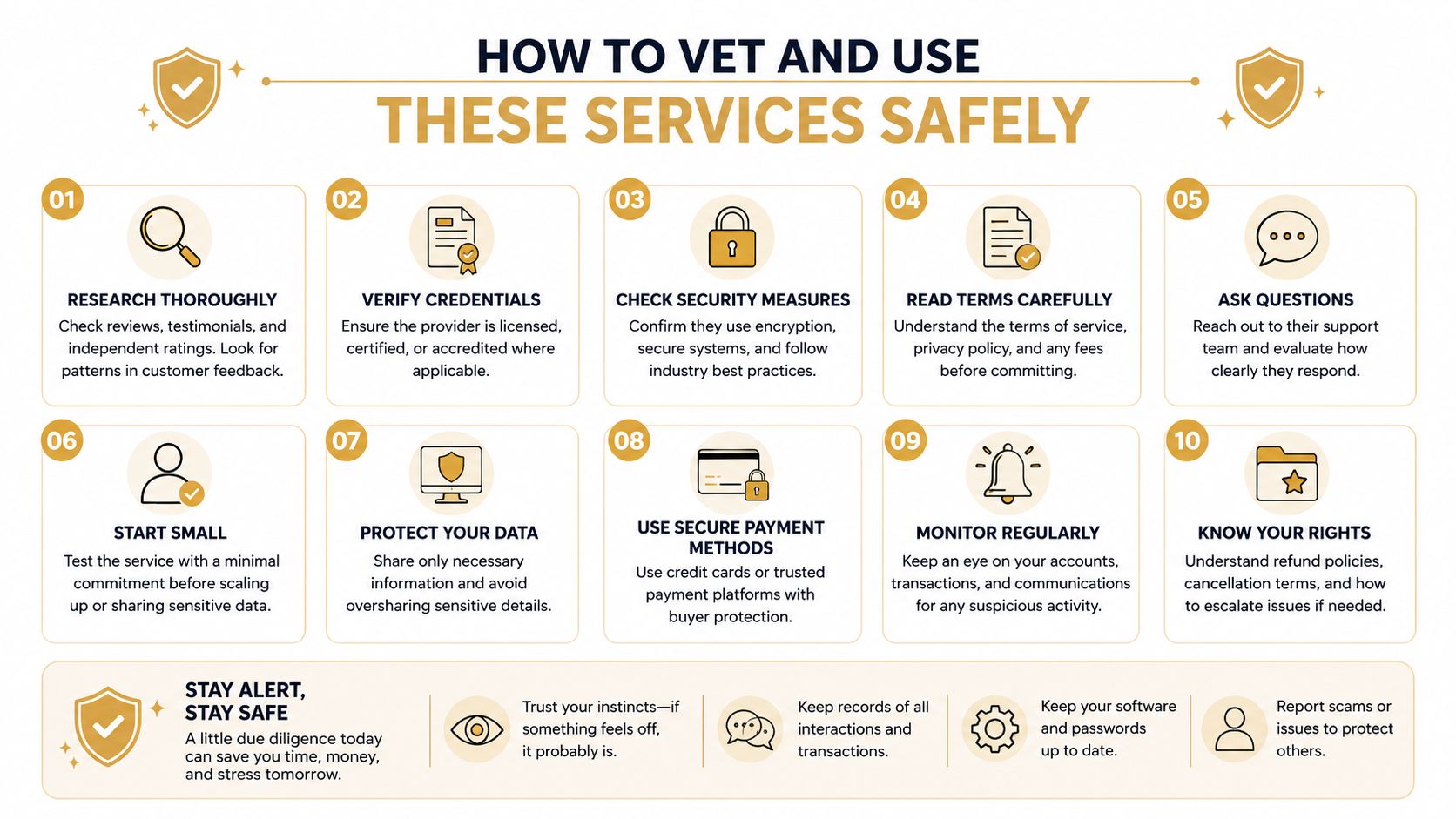
Start with the provider, not the answer. Before you enter sensitive facts, identify the company operating the service, determine whether it employs or matches you with licensed attorneys, and check which jurisdictions those attorneys cover. A platform may be useful for general education while offering no lawyer review at all.
Check the service boundaries
Look for plain statements about what the platform does and doesn't do. Be careful with promises of uniform answers across the country, guaranteed outcomes, or instant solutions to complex disputes. Legal guidance depends on location, timing, documents, and facts that a short intake may not capture.
Use this sequence before relying on a result:
- Confirm your jurisdiction: Enter the correct state, province, or country, and check whether the provider handles that location.
- Identify the source of guidance: Determine whether the response comes from an article, software, a non-lawyer specialist, or a licensed attorney.
- Review the engagement terms: Confirm what the fee covers, whether follow-up questions are included, and whether representation is excluded.
- Read the privacy terms: Look for retention, deletion, training-data use, encryption, and third-party disclosure provisions.
- Start with limited facts: Ask a general first-pass question without names, addresses, account numbers, or unnecessary identifying details.
- Verify important conclusions: Compare the answer with an official court, agency, or government resource, then ask a lawyer when the consequences are serious.
The consumer-perception research on online legal-service providers emphasizes the importance of jurisdiction-specific content, intuitive navigation, and access without aggressive paywalls or upselling. Those qualities affect more than convenience. They help prevent users from applying a rule to the wrong place or misunderstanding what the service provides.
Use a two-minute pre-share check
Before submitting documents, ask yourself:
- Who receives this information?
- Is a licensed lawyer reviewing it?
- Where is that lawyer licensed?
- Can the provider use the material to train or improve a model?
- How can I delete the information?
- What happens if the answer is wrong?
- Is there a deadline or consequence that requires human review?
Privacy concerns are widespread among people deciding whether to use AI for legal help. A 2026 Legal Services Board survey found that 46% of people who hadn't used AI for legal help cited accuracy or misinformation, 20% named privacy and data security as the biggest risk, and 25% said they wouldn't share sensitive details with a chatbot under any circumstances. Those concerns are reasonable. Treat them as prompts to ask better questions, not as obstacles to ignore.
When You Still Need a Human Attorney
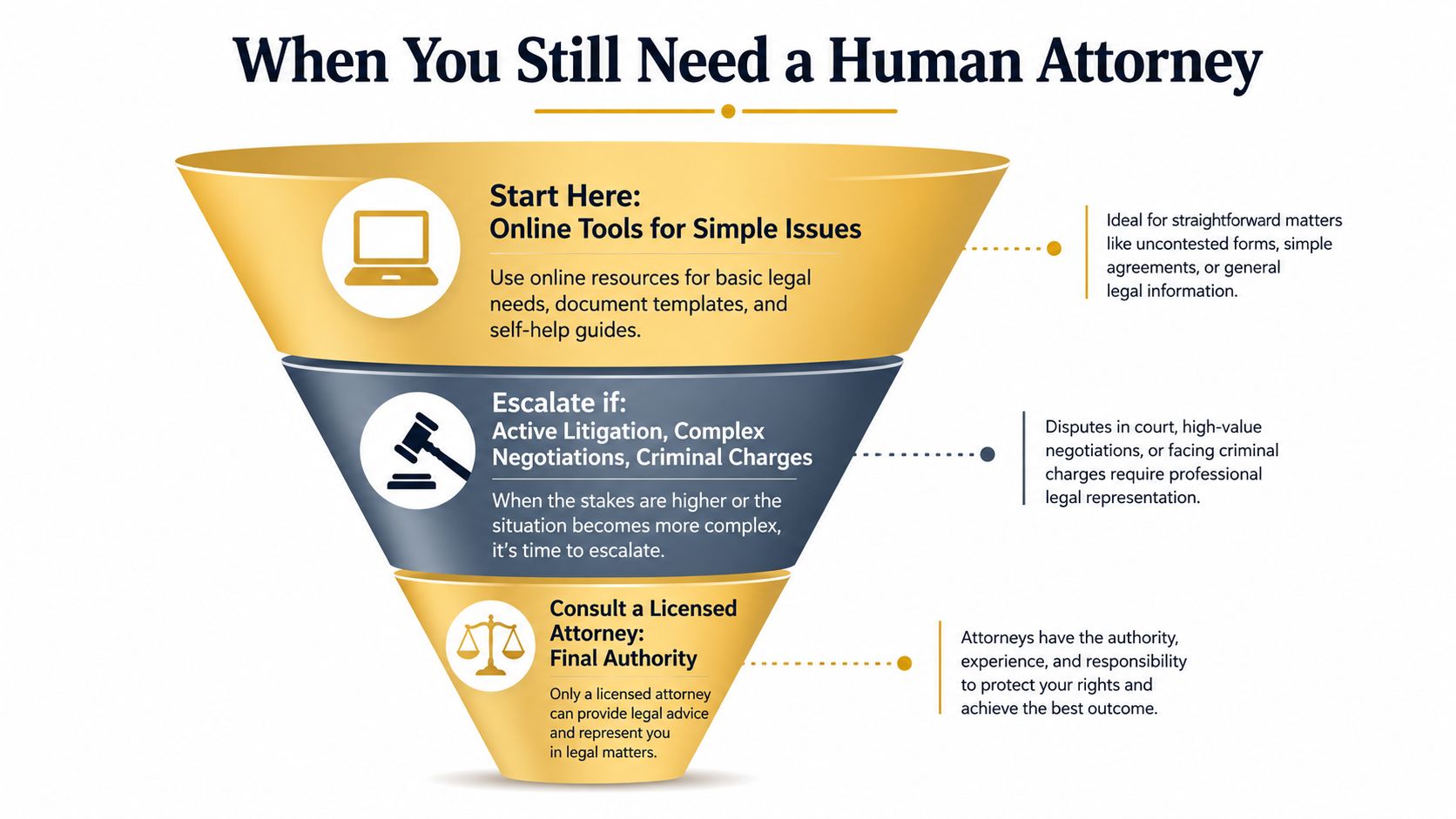
The assumption that an AI legal assistant can replace a lawyer breaks down when the stakes, procedural demands, or factual complexity increase. A tool may help you understand a letter, but it can't automatically become your advocate, owe you professional duties, or take responsibility for a courtroom strategy.
The public's caution reflects that gap. UK consumer-panel research on AI in legal services found that 56% identified AI acting without their knowledge or consent as a top concern. The same research noted concerns about AI failing to recognize emotional or situational context and failing to prompt users to seek professional advice when necessary.
Escalate when procedure or consequences matter
Contact a human attorney promptly when you face:
- An active lawsuit: Court rules, service requirements, discovery, and strategic choices can't be safely handled through general information alone.
- A filing or deadline: Missing a response date or administrative deadline can affect your available options.
- Criminal accusations: You need advice about rights, evidence, communications, and defense strategy.
- An immigration hearing or status issue: Small factual or procedural errors can have serious consequences.
- A signed or high-impact contract: A lawyer can assess obligations, remedies, negotiation position, and language that automated tools may not interpret in context.
- A settlement or opposing counsel: Negotiation requires judgment about risk, evidence, timing, and what you may give up.
- Regulated conduct: Compliance questions may involve detailed rules, agency expectations, and ongoing responsibilities.
A tool can help you prepare for a lawyer. It shouldn't quietly become the lawyer in a matter where another party, a court, or an agency can impose serious consequences.
Cost shouldn't end the inquiry. Ask about a flat-fee consultation, limited-scope representation, payment arrangements, or a legal aid clinic. You may not need a lawyer to handle every task, but you may need one to review the decision, filing, or agreement.
Online tools are most useful as a triage layer. They can help you organize dates, collect evidence, decode correspondence, and identify the questions that deserve professional attention. Outh, for example, provides AI-assisted case discovery, claim-element checklists, evidence organization, claim valuation estimates, and attorney matching, while stating that it isn't a law firm and that its valuations aren't legal advice. If you need help selecting counsel, this guide to finding a lawyer can help you approach the search with a clearer understanding of your needs.
Key Takeaways for Smarter Online Legal Decisions
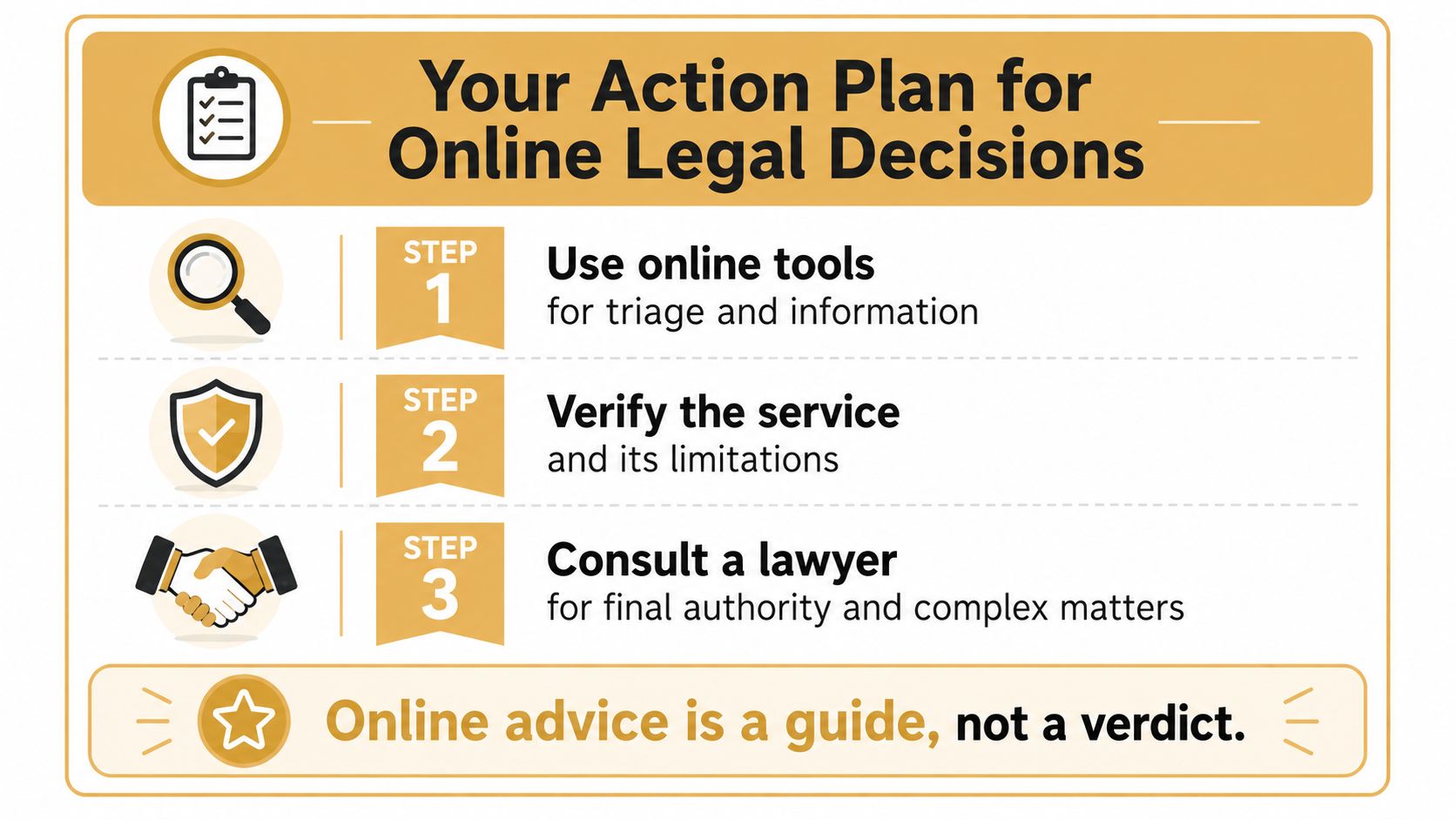
If a landlord sends a notice tonight, an online tool may help you identify the document and list questions. It cannot decide whether a missed deadline, disputed fact, or proposed response could harm your position. Use this rule: online legal advice is a starting point unless a licensed attorney has reviewed your specific facts and agreed to advise you.
- Name the task. Decide whether you need a definition, document checklist, possible legal category, or recommendation about what to do.
- Check the jurisdiction. Confirm that the information matches where the dispute occurred and where the relevant court, agency, employer, landlord, or opposing party is located.
- Identify the provider. Distinguish general information, automated triage, document software, coaching, and advice from a licensed lawyer.
- Limit sensitive disclosures. Before uploading documents or identifying people, review retention, deletion, training, encryption, and third-party sharing terms.
- Use escalation triggers. Pending deadlines, court filings, criminal accusations, immigration matters, signed agreements, settlement negotiations, and serious possible losses call for human review.
A useful test is whether the tool helps you prepare or asks you to trust an answer you cannot independently check. Online services can organize facts and improve access, but their limits should be clear. If the result would affect your rights, money, status, or response deadline, treat it as a draft for review rather than a final answer.
If you're assessing a potential civil claim, organizing evidence, or trying to understand which kind of lawyer fits your situation, Outh offers AI-assisted claim discovery, evidence organization, valuation estimates, and attorney matching. Use it to prepare informed questions for a licensed attorney, not as a substitute for that conversation.